ports beta

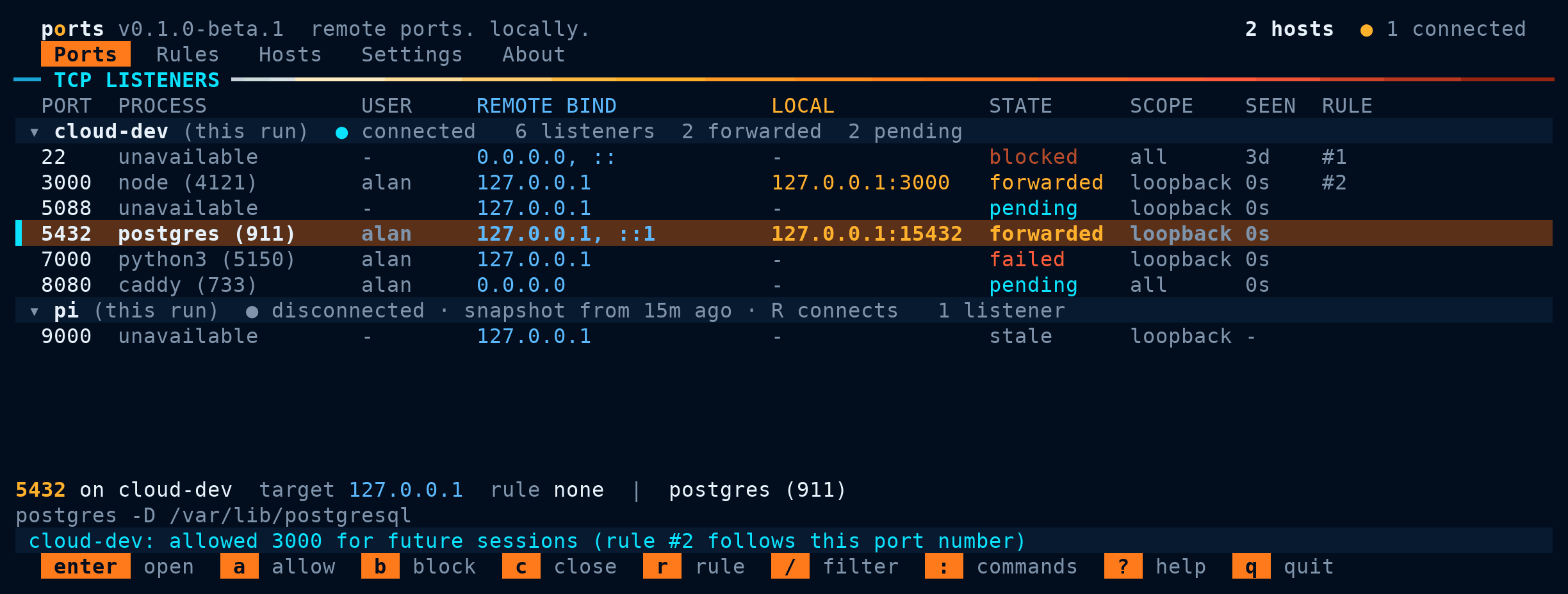
A dev server, a database, or a dashboard starts on a remote machine and listens on 127.0.0.1:5432. To reach it you type ssh -L, guess the port, and start over when it moves. ports is a terminal UI that watches TCP listeners on your Linux SSH hosts and forwards the ones you want to 127.0.0.1 on your machine, automatically and as they appear.
What it does
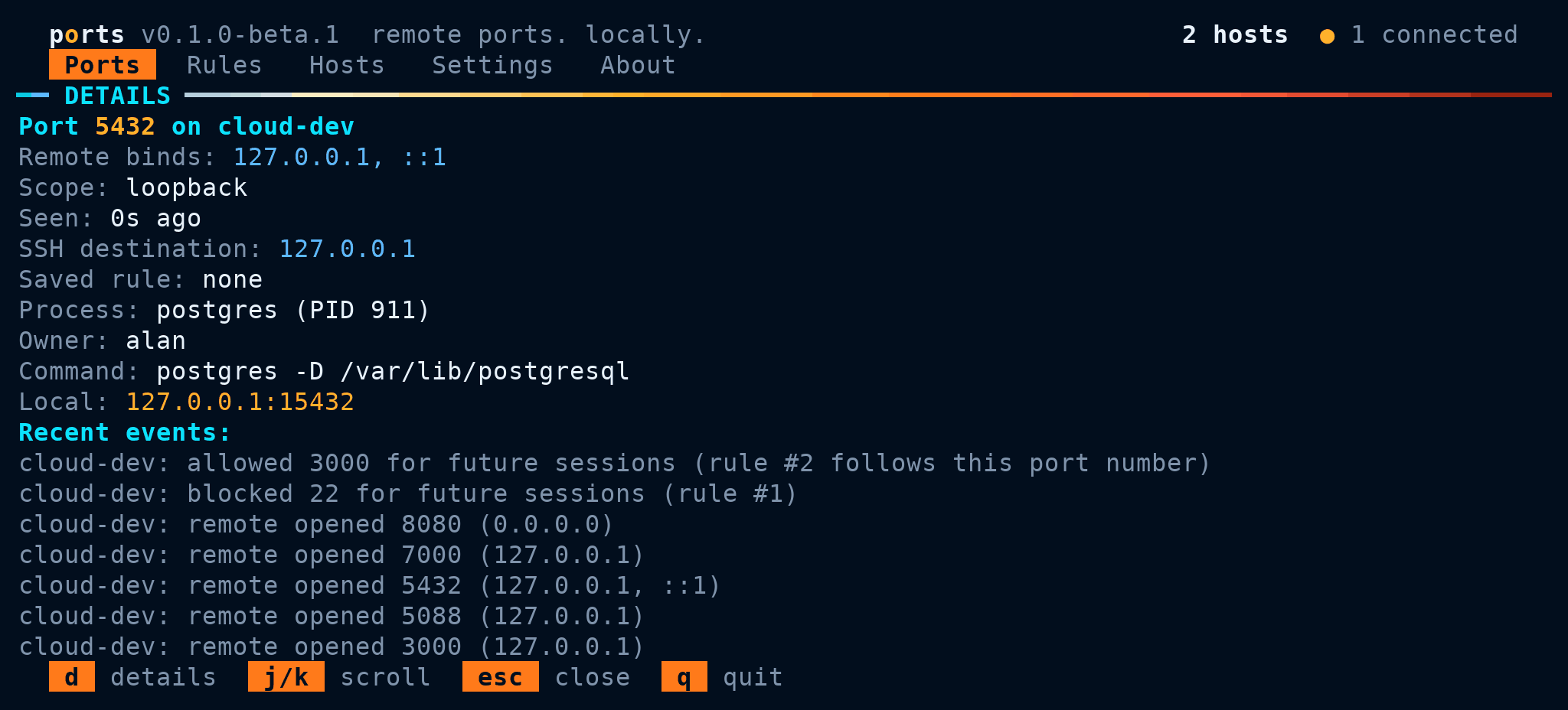
Sees what is listening
Polls
ssover one SSH connection per host and shows each TCP listener with its process, owner, command line, bind address, and scope.Forwards in one key
Press Enter to forward a port for this session. If the local port is taken, ports picks a free one and shows the real mapping.
Remembers with rules
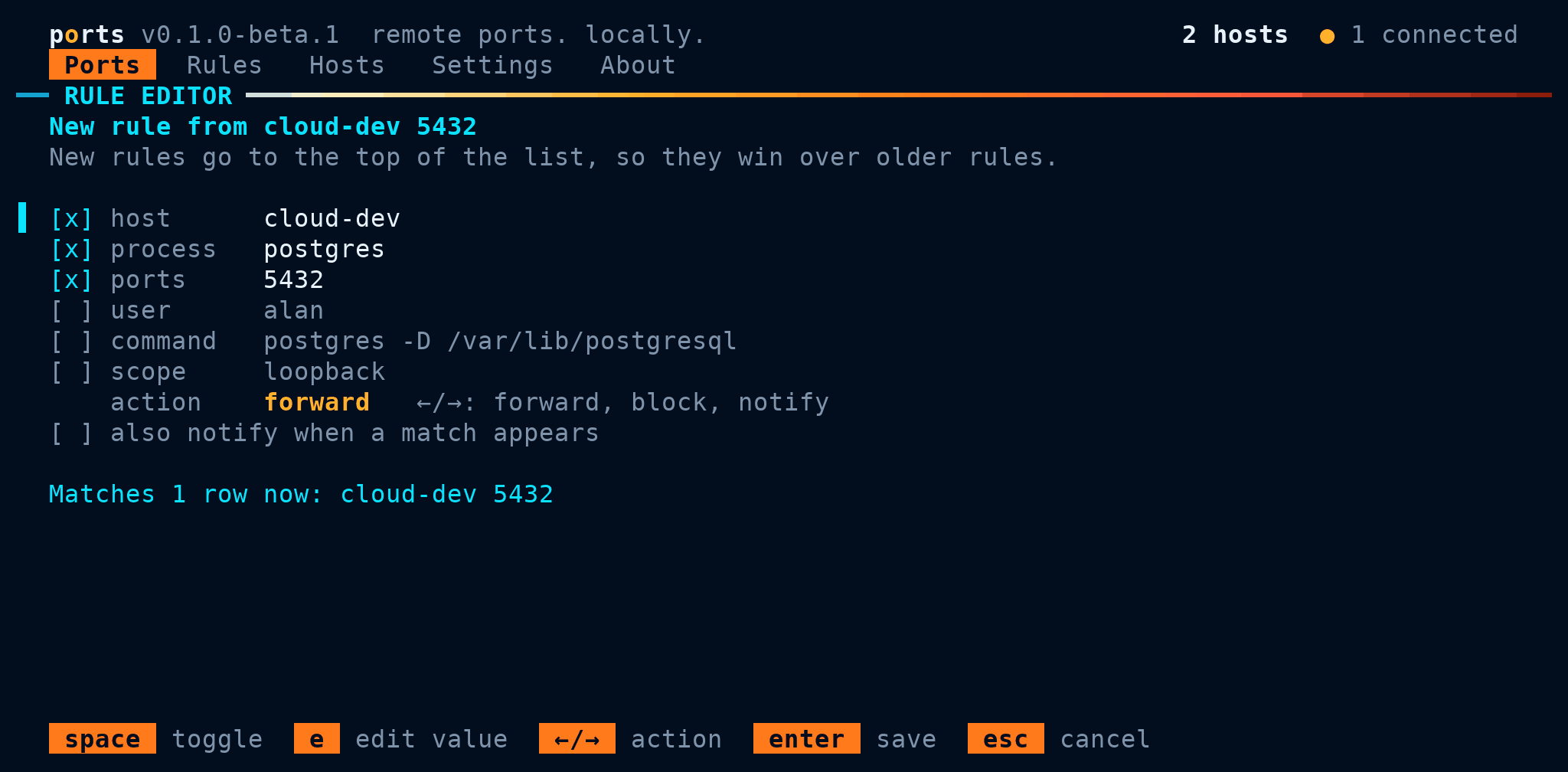
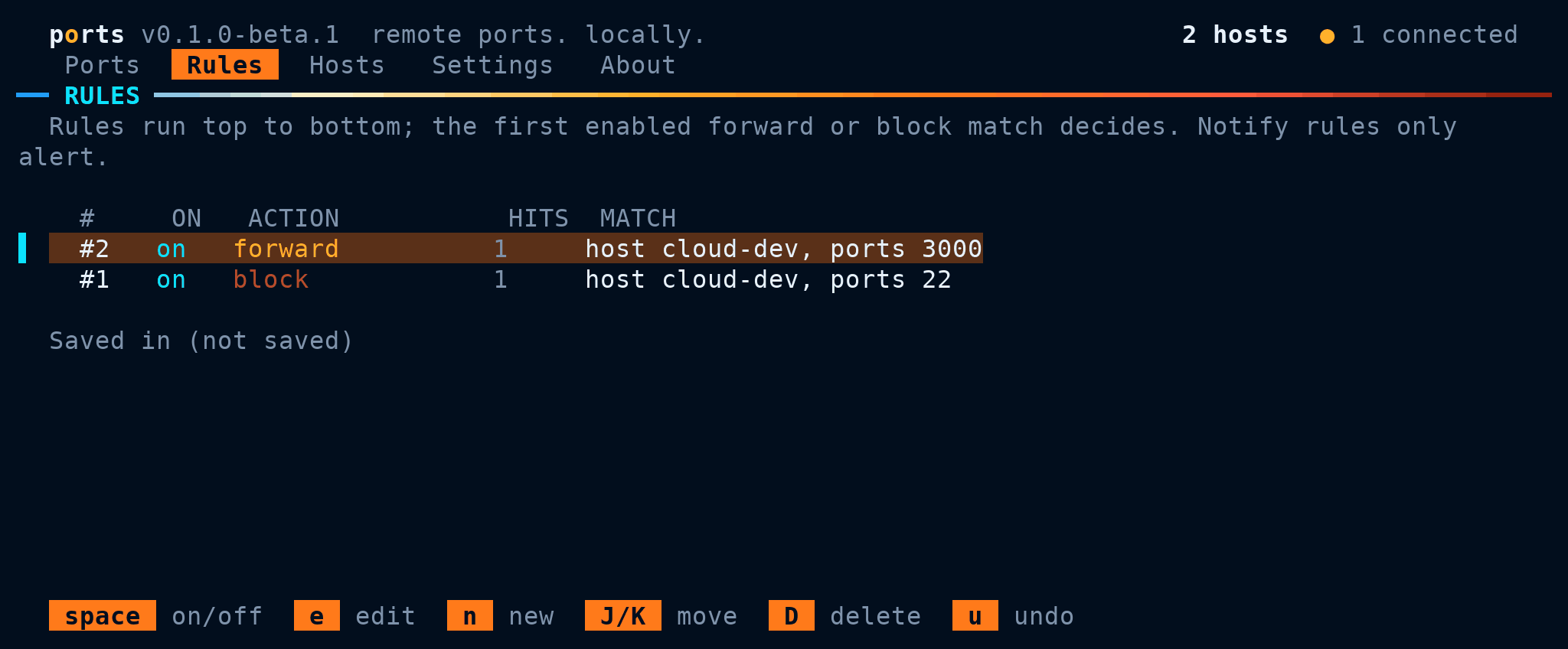
Press a to always forward a port or b to block it, or write rules that match host, process, user, port range, command, and scope. New listeners that match are forwarded as soon as they appear.
Many hosts at once
Connect several hosts side by side. Disconnected hosts keep their last snapshot, and hosts that need a password or passphrase get a normal SSH prompt.
Finds things fast
Filter with queries such as
proc:docker* port:3000-9000 -port:22, save them as numbered views, and run any action from the command palette.Nothing to install remotely
Remote hosts only need
sh,ss,awk,sort, andsleep. No agent, no daemon, no open ports beyond SSH.
Screenshots
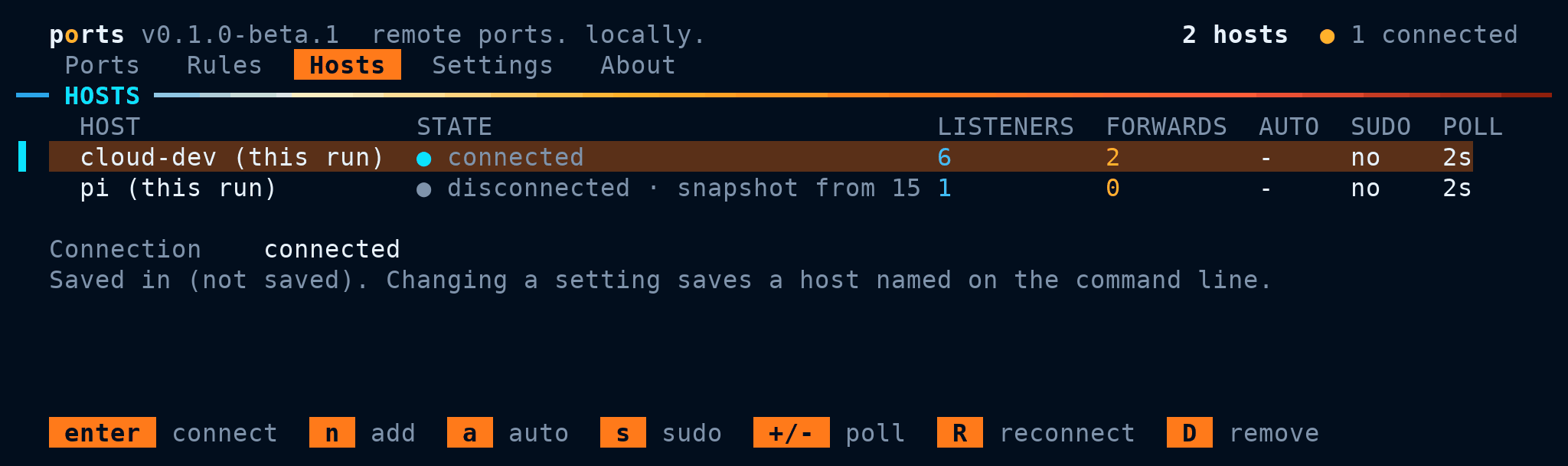
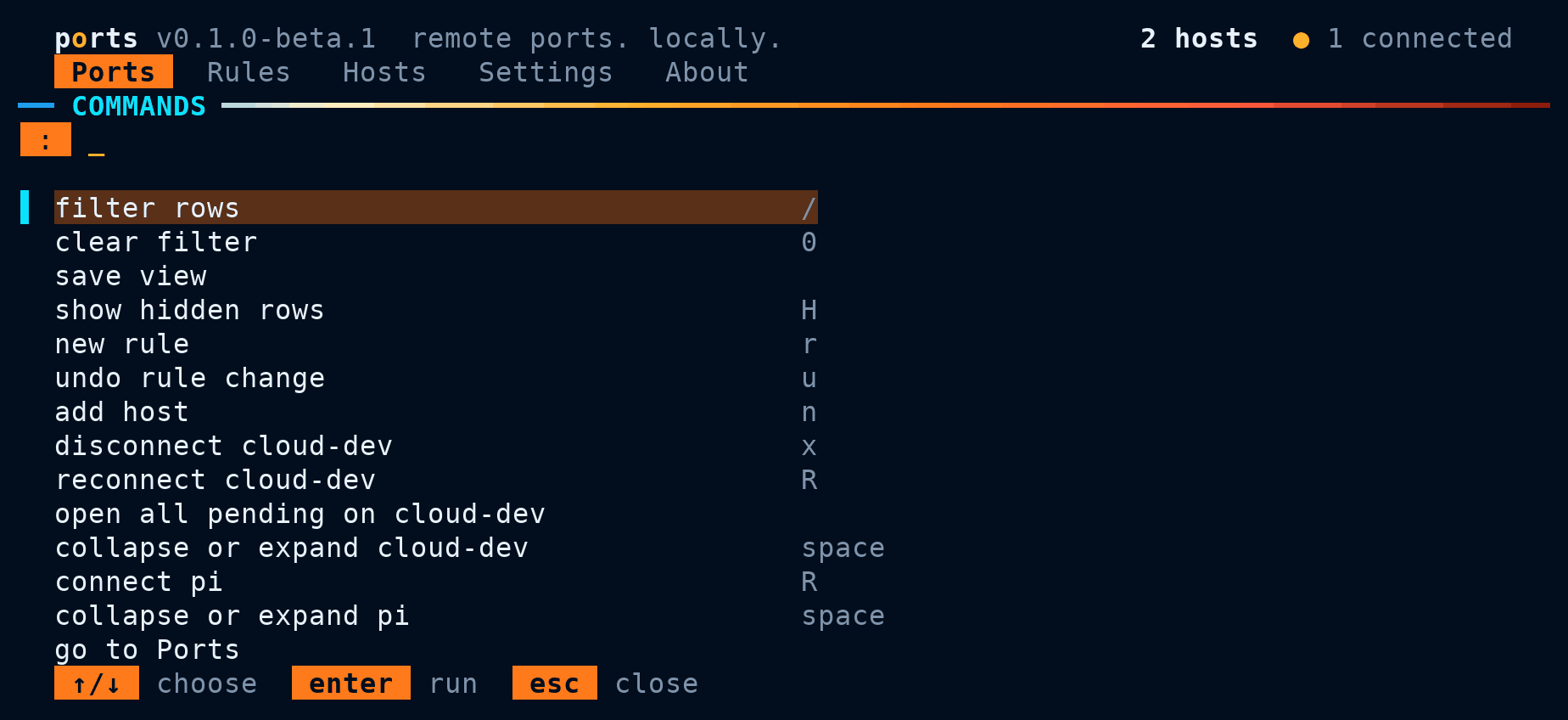
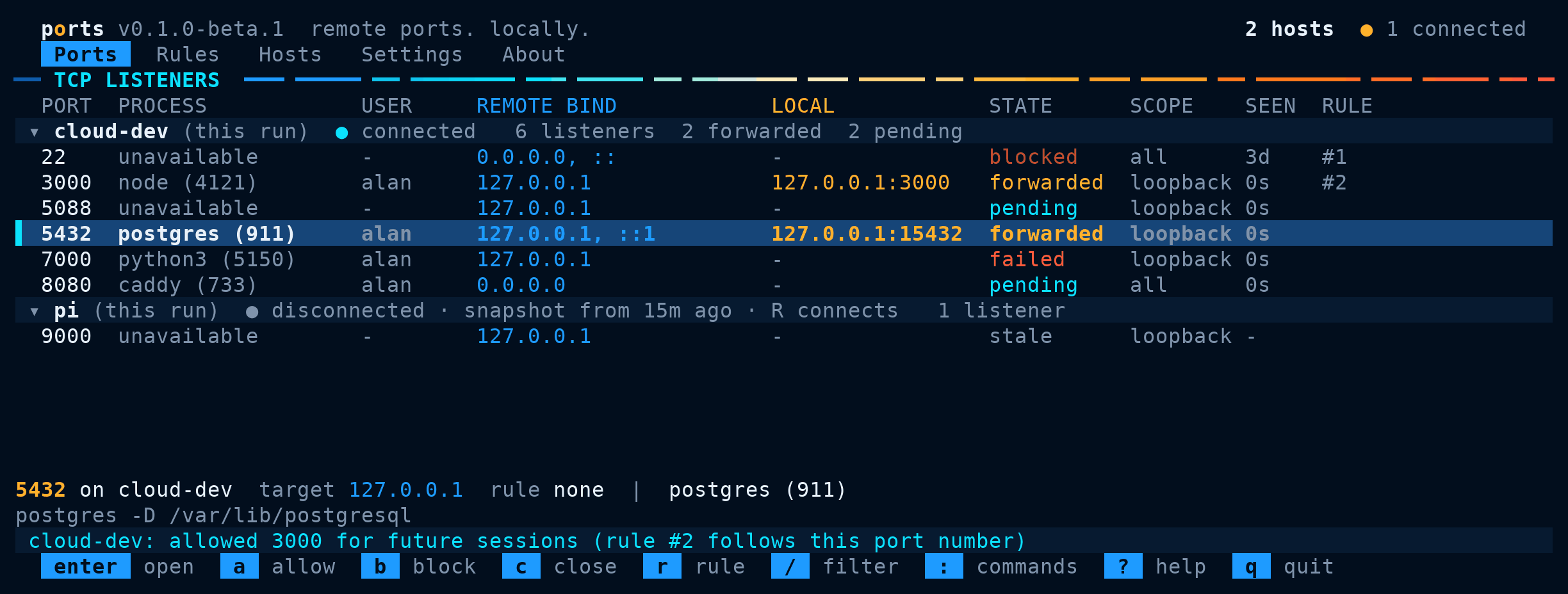
Install on Debian or Ubuntu
Available for 64-bit Intel and AMD PCs (amd64) through Alan NULL's APT repository. You also need the OpenSSH client and an SSH host you can log in to; the package installs openssh-client if it is missing.
-
Add the APT repository
Follow the repository's instructions to verify its signing key and enable it. You only need to do this once.
Open repository setup instructions -
Install ports
After setting up the repository, run these commands in a terminal:
sudo apt update sudo apt install ports -
Run it
Run
portsin a terminal, or find ports in your application menu. The first time, it lists the hosts in your~/.ssh/config; pick one, or type any host you can reach withssh.
Getting started
# open the TUI and connect your saved hosts
ports

# connect these hosts for this run only
ports tui cloud-dev build-box

# line-based text mode for one host
ports watch cloud-dev
In the Ports tab, select a row and press Enter to forward it, a to always forward it, or b to never forward it. Press o to open the forwarded port in your browser, / to filter, : for the command palette, and ? for help.
Process names come from the remote host and may be hidden when your SSH user can't see another user's processes. Turn on sudo process lookup for a host in the Hosts tab if it has passwordless sudo for ss and awk.
Settings, hosts, and rules live in ~/.config/ports/config.json. You can edit it while ports is running; changes apply within a second.
Keep ports up to date
Read the changelog for version history.
Updates arrive through the same APT repository. Use your system's software updater, or run:
sudo apt update
sudo apt install --only-upgrade ports
About the beta
This is the first public release. It hasn't been tested on many machines yet, and the config and rule formats may still change before 1.0.
- Runs on 64-bit Linux (x86_64, glibc). Remote hosts must be Linux.
- Discovers TCP listeners in the SSH server's network namespace. UDP, listeners inside other container namespaces, and cloud firewall rules are not covered.
- A forwarded state means SSH opened the local port; it doesn't prove the remote service answers. Turn on the health check in Settings to test new forwards once.
Found a bug or have an idea? Send feedback and include the output of ports --version.